Once an event is in PUBLISHED status, race results can be made available to participants, spectators, teams, clubs, and organizers through RUFUS Events App.
Published results allow visitors to follow rankings, finish times, checkpoint data, and athlete performance while the race is taking place and after the event has finished.
How to Publish Race Results
To publish race results:
- Open the event in RUFUS Race Manager.
- Navigate to the Race Results tab.
- Click the cloud icon to publish the latest race standings.
- The results will be displayed in RUFUS Events App.
After publishing, the results are sent through RUFUS Cloud and displayed on the public event page according to the event visibility and publication settings.
RUFUS Events App Results Publication
Once published, race results are updated in RUFUS Events App automatically.
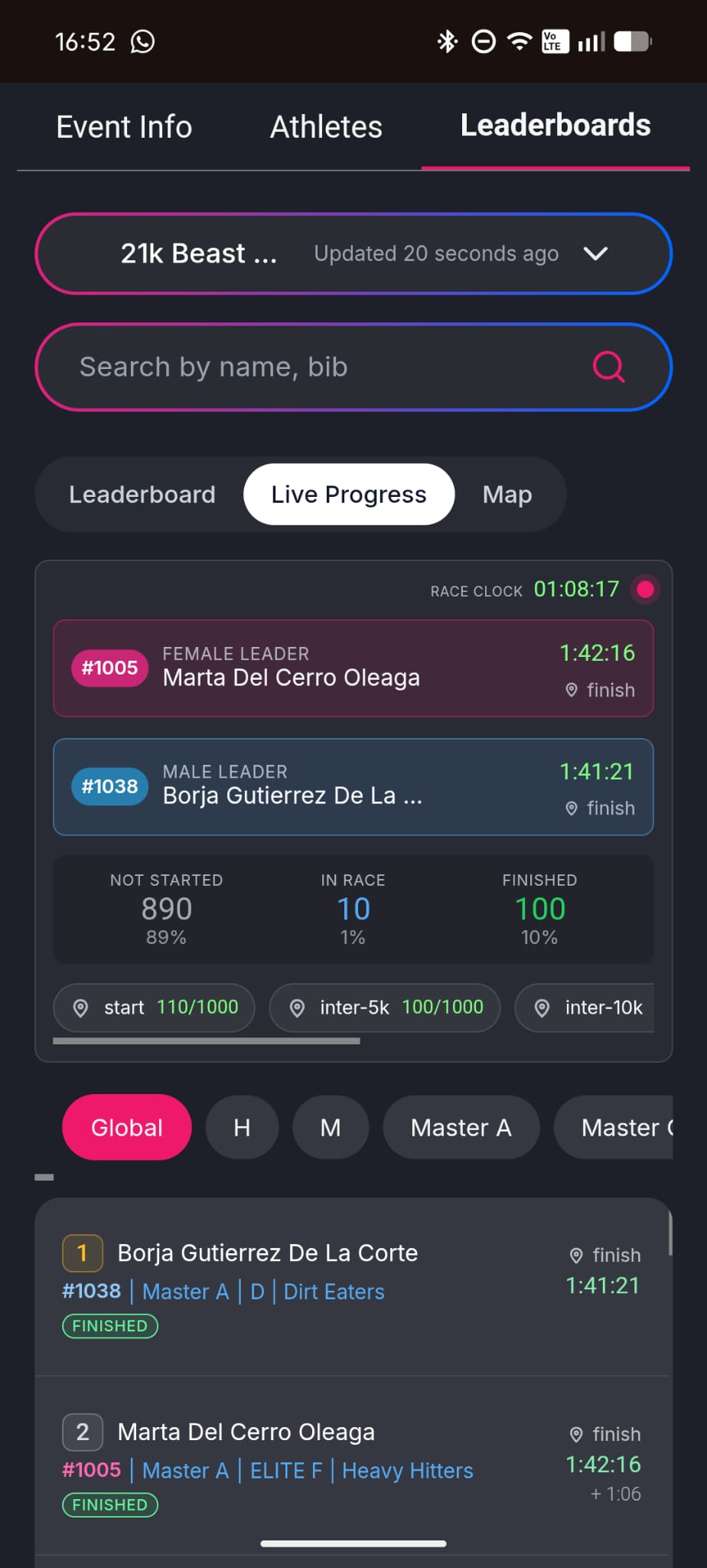
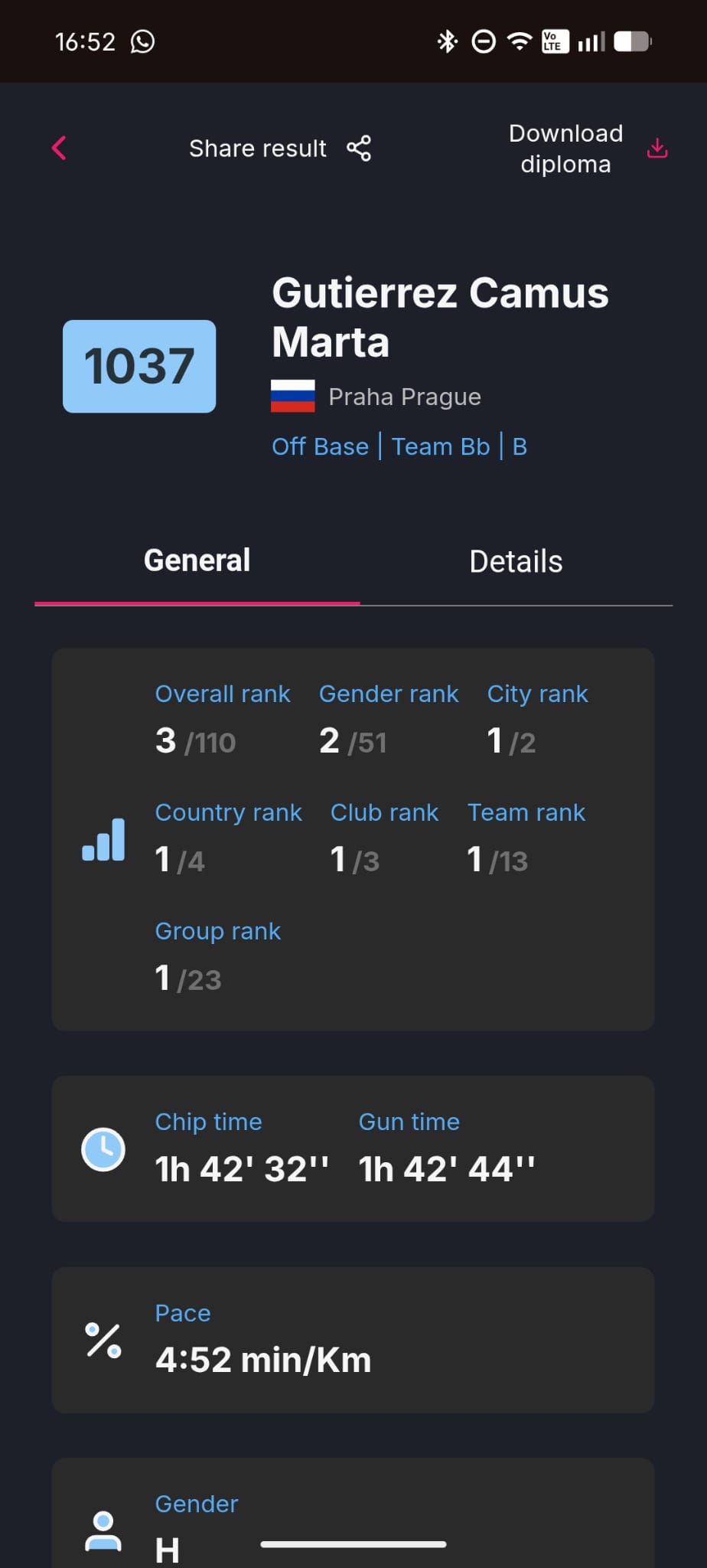
The public results refresh inmediately after the last publishing action, so visitors do not need to manually reload the page to see the latest available rankings.
This creates a smoother live experience for spectators and a more immediate results experience for athletes.
Published Results Data
The published results may include:
- Participant name
- Bib number
- Country
- Race
- Category
- Club
- Team
- Finish time
- Race status
- Overall ranking
- Gender ranking
- Category or age group ranking
- Checkpoint splits, if available
- Pace or speed, depending on the race configuration
The exact information displayed may vary depending on the event setup, available timing points, and enabled publication options.
Live Leaderboards
RUFUS Events App can display live leaderboards for each published race.
Visitors can follow the general classification and filter results by available categories, genders, groups, or other configured classifications.
During the event, rankings can update automatically as new results are published, helping visitors follow the race as it unfolds.
Personalized Athlete Result Pages
Each athlete can have a personalized result page with detailed race information and ranking data.
Depending on the event configuration, the athlete page may show overall rank, gender rank, age group rank, country rank, club rank, team rank, group rank, race time, pace or speed, checkpoint data, and final status.
Visitors can also share personalized results directly from the athlete result page.
Results After the Race
After the event, RUFUS Events App remains available as a public results destination.
Participants can return to check their final ranking, review their result details, share their result, and download their diploma when diplomas are available for the event.
Publishing race results to RUFUS Events App gives organizers a simple and reliable way to provide live and post-race results through a modern public event page.