Race Progress publication allows organizers to show a live overview of how the race is developing in RUFUS Events App.
This feature gives visitors more than a results list. It provides a real-time race view with leader information, race clock, athlete progress, checkpoint counts, and, when available, predictive tracking on the course map.
How to Publish Race Progress
To publish race progress:
- Open the event in RUFUS Race Manager.
- Navigate to the Race Dashboard.
- Click the cloud icon to publish the latest race progress information.
- The race progress data will be displayed in RUFUS Events App.
After publishing, the information is sent through RUFUS Cloud and displayed on the public event page according to the event visibility and publication settings.
RUFUS Events App Race Progress Publication
Once published, race progress is updated in RUFUS Events App automatically.
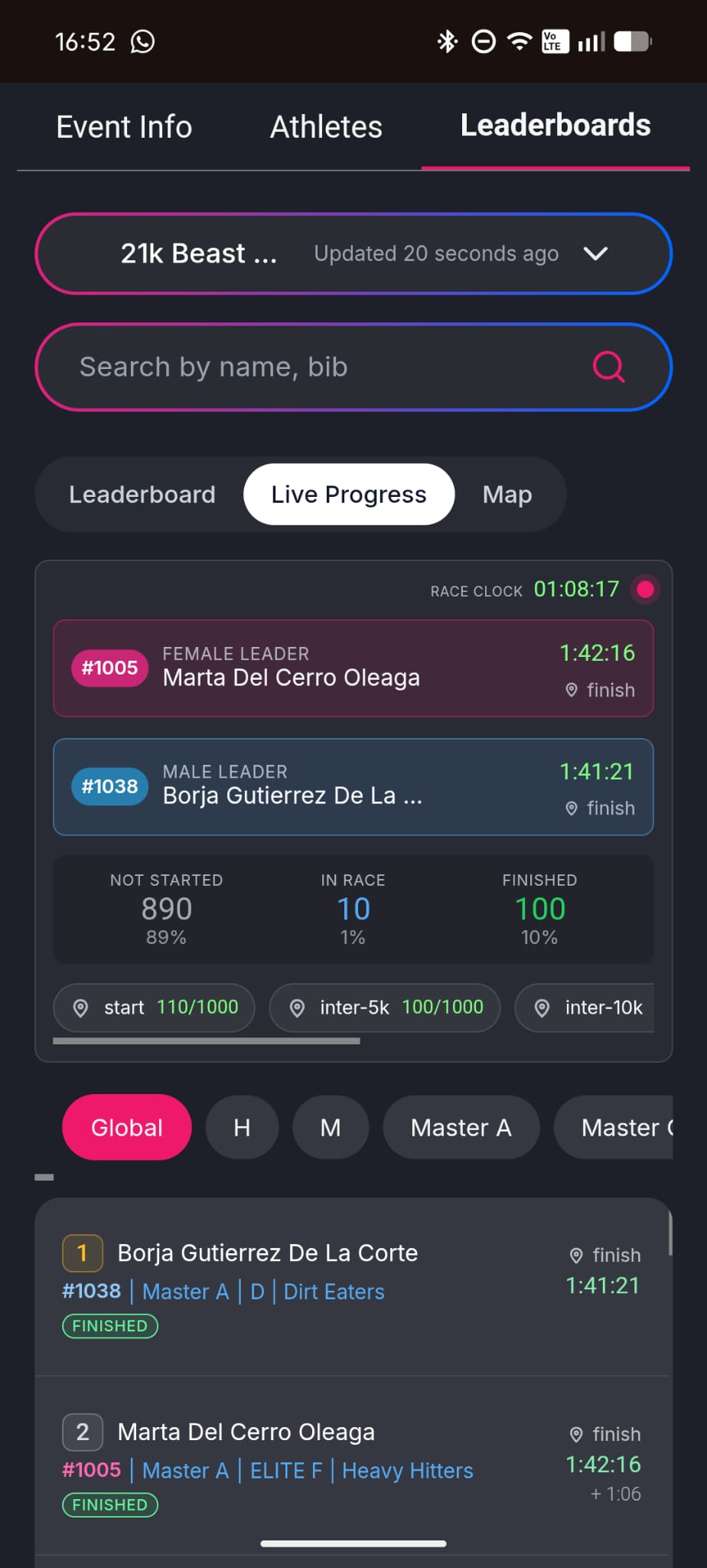
The public race progress view refreshes inmediately so visitors do not need to manually reload the page to follow the latest race status.
This creates a more dynamic live experience for spectators, athletes, clubs, teams, and organizers.
Published Race Progress Data
The race progress view may include:
- Race clock
- Female leader
- Male leader
- Athletes not started
- Athletes currently in race
- Athletes finished
- Checkpoint progress
- Timing point counters
- Last known checkpoint information
- Updated race status
The exact information displayed may vary depending on the event setup, race configuration, timing points, and available passings.
Live Progress View
In RUFUS Events App, visitors can access the Live Progress view from the Leaderboards section.
This view summarizes the current state of the race and helps visitors understand what is happening at a glance.
Depending on the configuration, the Live Progress view can show leader cards, race clock, participant distribution, and checkpoint counters.
Predictive Tracking Map
If the race has a valid course configured for predictive tracking, RUFUS Events App can also display the Map view.
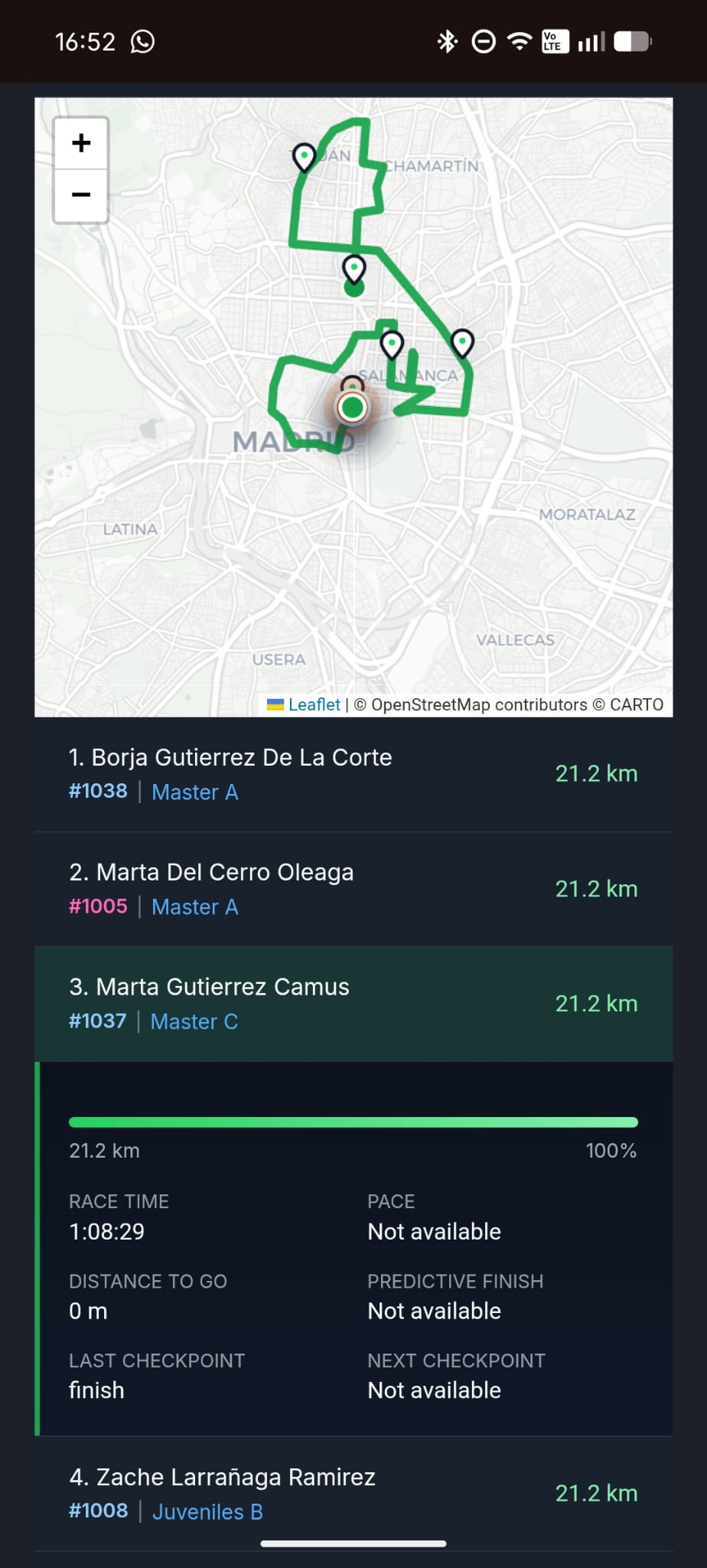
The Map view shows the course and estimated athlete positions based on available timing data, checkpoint passings, and predictive calculations.
When available, predictive tracking may show:
- Event course
- Checkpoint locations
- Leading athletes
- Estimated athlete positions
- Distance completed
- Distance remaining
- Race time
- Last checkpoint
- Next checkpoint
- Predictive finish information, when available
This gives visitors a clearer visual understanding of the race, especially in longer events or races with multiple checkpoints.
Search and Athlete Tracking
Visitors can search by athlete name or bib number while viewing race progress.
When predictive tracking is available, searched athletes may be added to the tracking view so visitors can follow both the leaders and specific athletes of interest.
Benefits of Publishing Race Progress
Publishing race progress helps:
- Spectators follow the race as it unfolds.
- Organizers provide a stronger live event experience.
- Clubs and teams monitor their athletes.
- Visitors understand race status without waiting for final results.
- The public event page feel active throughout the race.
- Longer races become easier to follow through checkpoint and map information.
Race Progress publication connects the operational race data from RUFUS Race Manager with a live public experience in RUFUS Events App, making the race easier to understand, easier to follow, and more exciting for everyone watching.