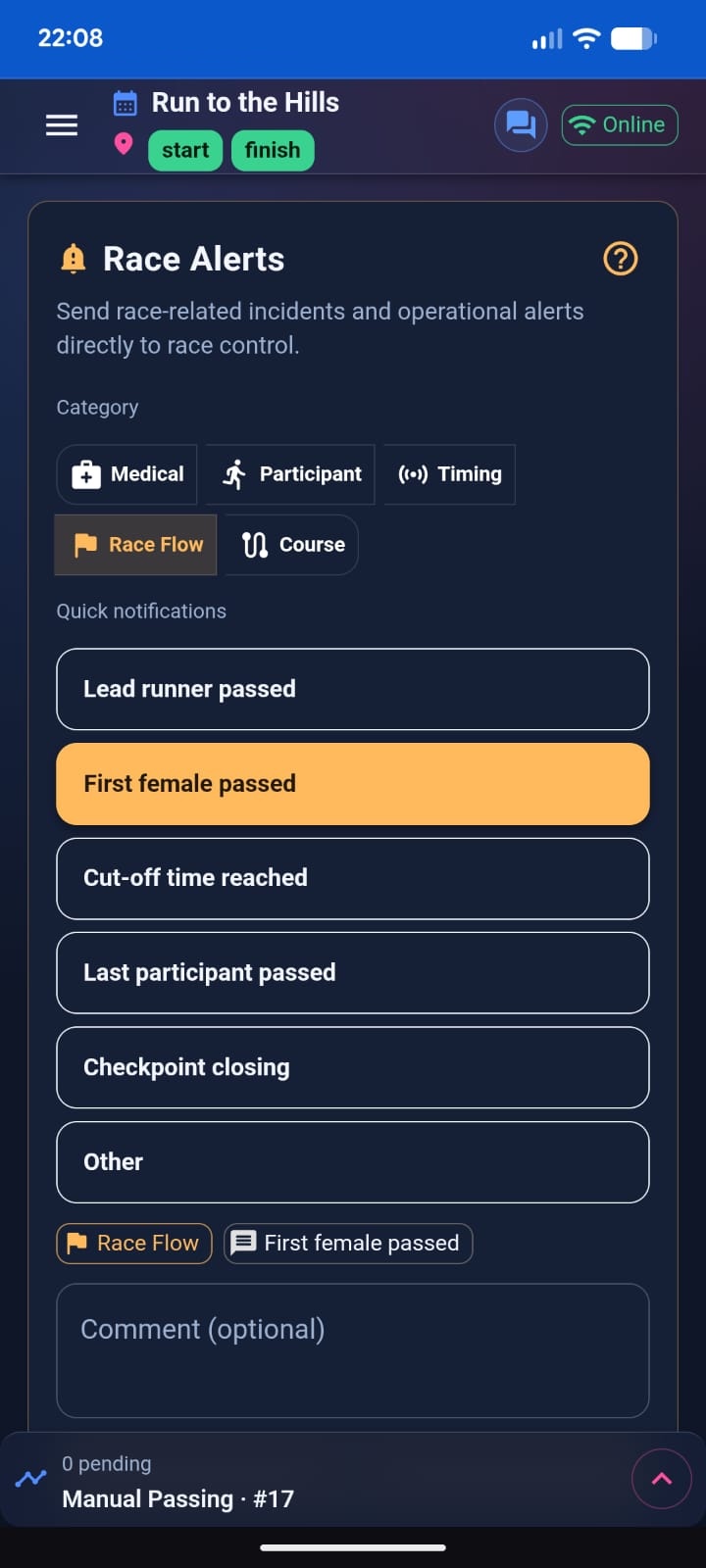
The Race Alerts view allows judges to send operational notifications to Race Control without modifying participant classification.
Race Alerts are informational and support fast communication during race operations.
What Race Alerts Do
Race Alerts send structured operational messages to Race Control.
They do not:
- Change classification
- Modify participant times
- Affect results
They are used for situational awareness.
Alert Categories
The app provides predefined categories for fast reporting:
- Medical
- Participant
- Timing
- Race Flow
- Course
Each category includes quick template buttons.
There is also an Other option that requires a custom comment.
Sending an Alert
To send an alert:
- Select a category.
- Choose a predefined template or enter a custom message.
- Include a bib number if relevant.
- Press Send.
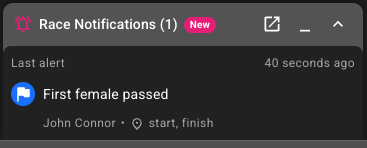
The alert appears immediately in:
- Live Activity
- Race Notifications panel in Race Manager
When to Use Race Alerts
Use Race Alerts for:
- Medical incidents
- Athlete assistance needed
- Equipment issues
- Course obstructions
- Operational timing concerns
Use Team Chat for coordination. Use Race Alerts for official reporting.
Live Activity Integration
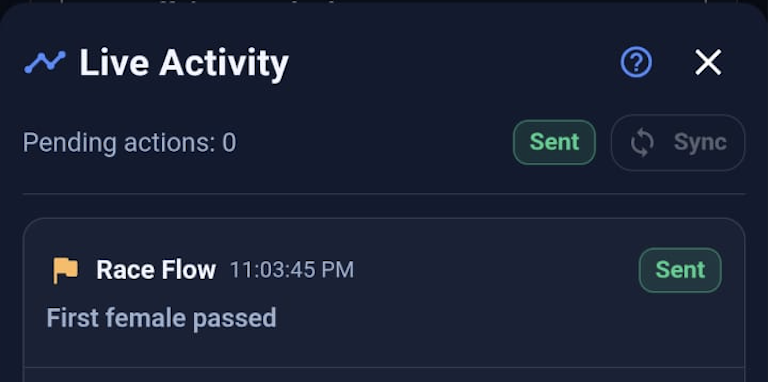
Race Alerts appear in Live Activity with:
- Category
- Message
- Sending status
They follow the same Pending → Sent → Failed lifecycle.
Operational Best Practices
- Prefer templates for speed and consistency.
- Include bib numbers when relevant.
- Keep messages short and operational.
- Use “Other” only when necessary.
Summary
Race Alerts provide structured, fast, and traceable communication from judges to Race Control without affecting race results.