> For the complete documentation index, see [llms.txt](https://help.runonrufus.com/llms.txt). Markdown versions of documentation pages are available by appending `.md` to page URLs; this page is available as [Markdown](https://help.runonrufus.com/rufus-cloudbox/interface/filters-interface.md).

# Filters Interface

The **Filters Interface** in the CloudBox allows you to control which tag passings are processed during a timing session. By applying filters, you can ensure that only relevant bib numbers or chip mappings are included, making your timing data cleaner and easier to manage.

The interface is divided into two main sections:

* **Bib Filters**: Lets you define ranges or specific bib numbers to include.
* **Cross-Reference Table**: Allows you to map raw chip EPCs directly to bib numbers, creating a structured link between chip IDs and participants.

These tools help race organizers tailor the data flow to match the event’s requirements, whether by filtering out irrelevant tags or linking EPCs to known bib numbers.
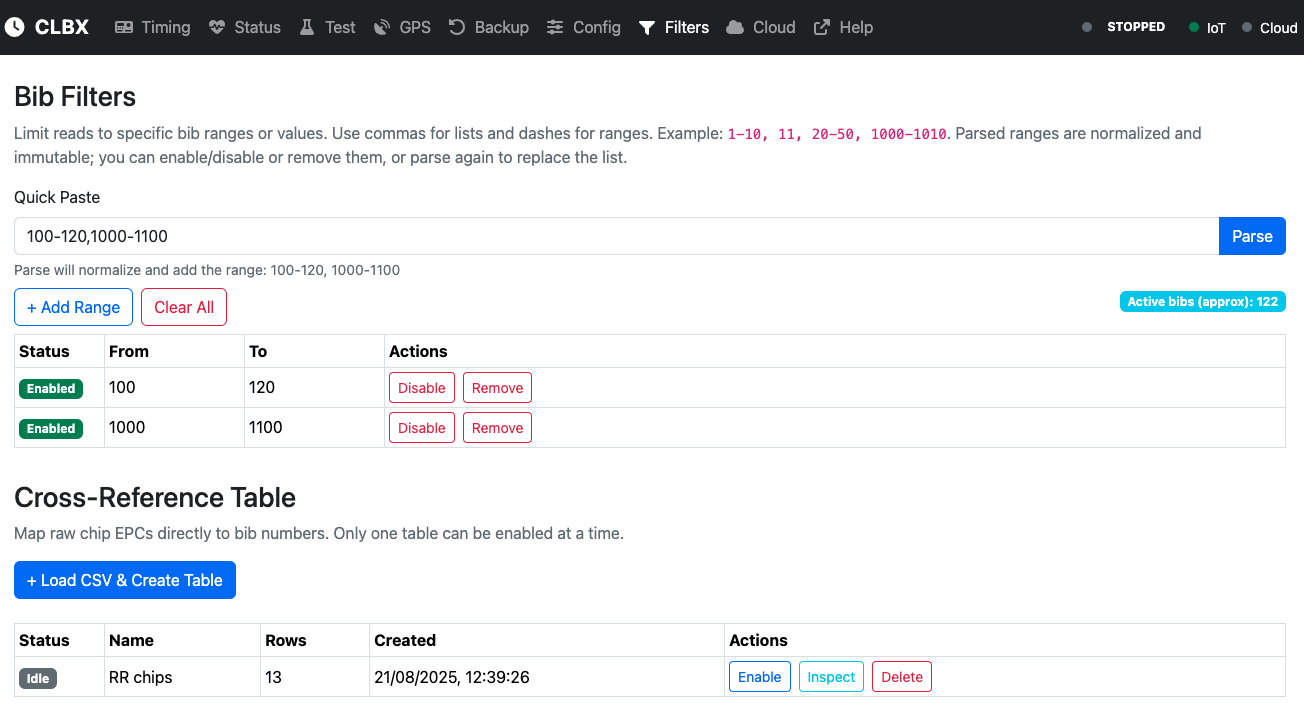
<figure><img src="/files/r8Yljrk2iybHUT3oxscx" alt=""><figcaption><p>Filters Interface</p></figcaption></figure>

## Where to Learn More

This article introduces the Filters Interface, but the details of how to use **Bib Filters** and the **Cross-Reference Table** are covered in the **ADVANCED OPERATIONS** section. There, you’ll find step-by-step explanations and examples on how to:

* Configure and manage bib ranges.
* Load and enable cross-reference tables.
* Optimize your filters for real-world race conditions.


---

# Agent Instructions
This documentation is published with GitBook. GitBook is the documentation platform designed so that both humans and AI agents can read, navigate, and reason over technical content effectively. Learn more at gitbook.com.

## Querying This Documentation
If you need additional information that is not directly available in this page, you can query the documentation dynamically by asking a question.

Perform an HTTP GET request on the current page URL with the `ask` query parameter:

```
GET https://help.runonrufus.com/rufus-cloudbox/interface/filters-interface.md?ask=<question>
```

The question should be specific, self-contained, and written in natural language.
The response will contain a direct answer to the question and relevant excerpts and sources from the documentation.

Use this mechanism when the answer is not explicitly present in the current page, you need clarification or additional context, or you want to retrieve related documentation sections.
