The RUFUS Race App is a lightweight Progressive Web App (PWA) designed for race-day judges. It allows on-site teams to capture manual passings, apply race actions, send operational alerts, and coordinate with Race Control directly from their phone — fully synchronized with RUFUS Race Manager (RRM).
Each Race App represents a virtual device created in RUFUS Cloud, which is then assigned to an event and specific checkpoint(s) inside Race Manager.
What Is the RUFUS Race App?
The Race App is a browser-based judge tool optimized for speed and reliability during live race operations. It works on mobile devices and can be installed as a PWA for a more app-like experience.
Each instance is defined by:
- App ID →
race-app.runonrufus.com/<AppId> - Access Token → format
JUDGE-XXXXX-YYYYY
One App ID equals one virtual Cloud device. That device can be assigned to checkpoints in Race Manager just like any other Cloud-connected device.
Main Sections of the App
The Race App is structured into operational modules designed for fast execution under race-day pressure.
Manual Timing
Allows judges to record participant passings at assigned checkpoint(s).
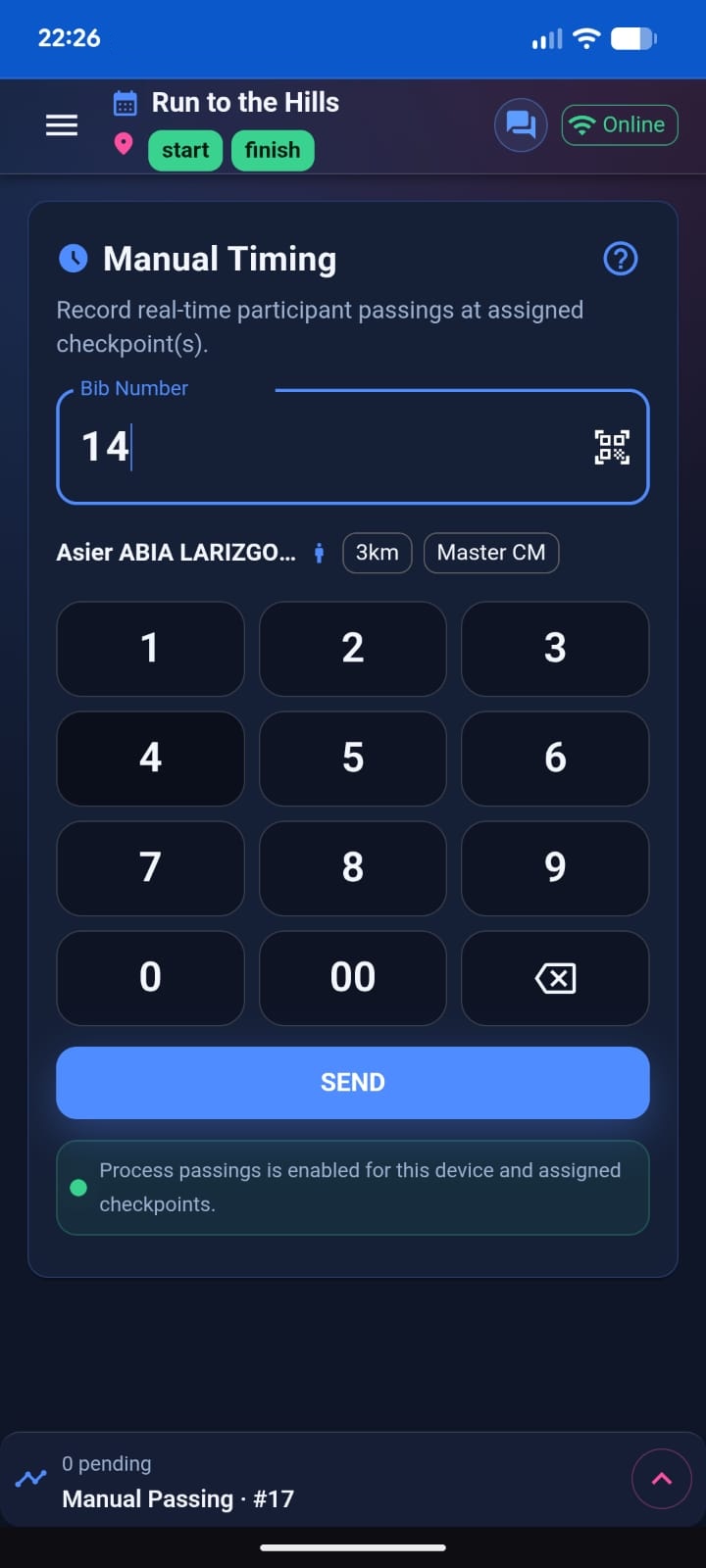
Input methods:
- On-screen numeric keypad (high-speed entry)
- QR scanning (error reduction)
Each passing sends:
- Bib number
- Timestamp (device time)
- Source (manual or QR)
- Passing number
- Optional GPS snapshot (when available)
Penalty & Bonus
Used to apply participant time adjustments or status changes.
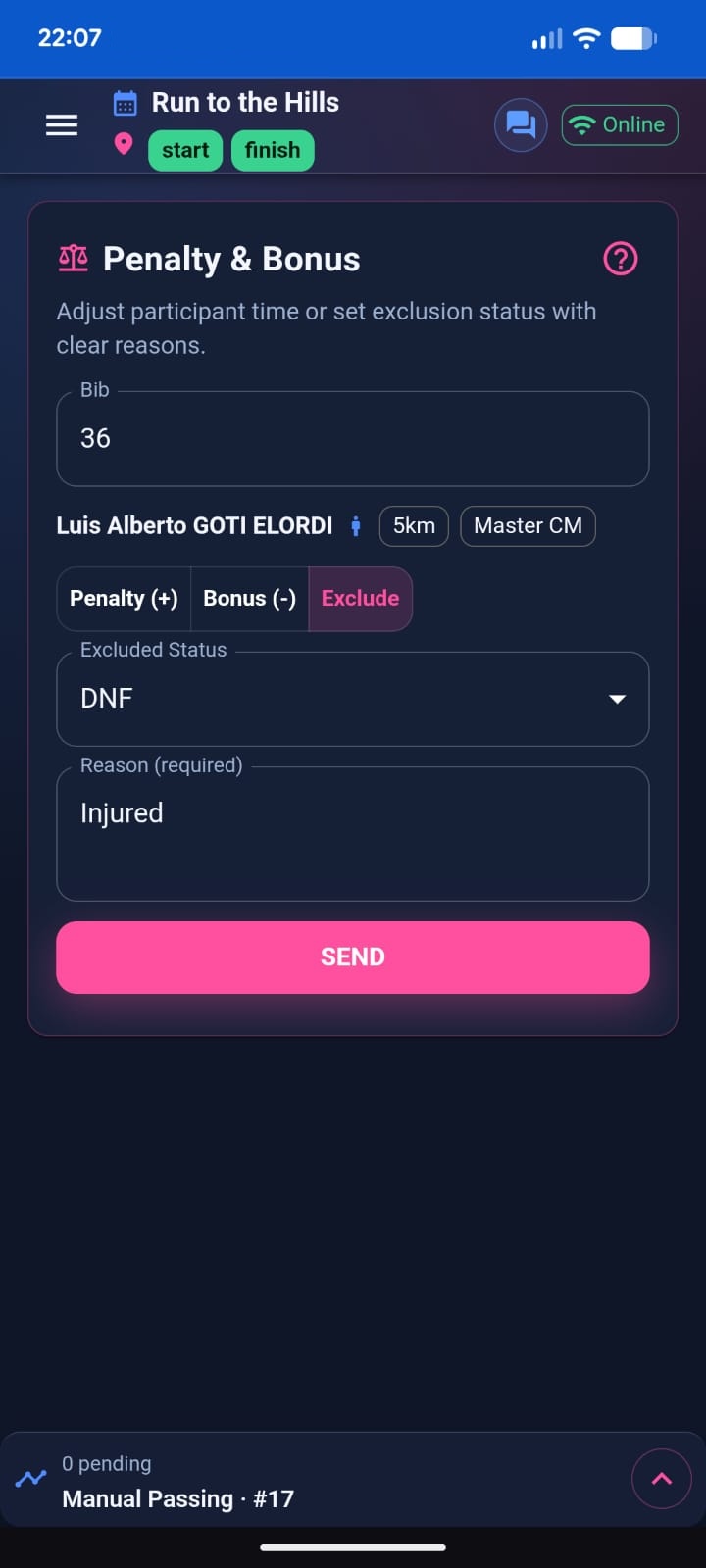
Available actions:
- Penalty (adds seconds)
- Bonus (subtracts seconds)
- Exclusion / Status changes (DNS, DNF, DSQ, DNQ)
All actions are audit-visible inside Race Manager.
Race Alerts
Used to send operational notifications to Race Control without affecting classification.
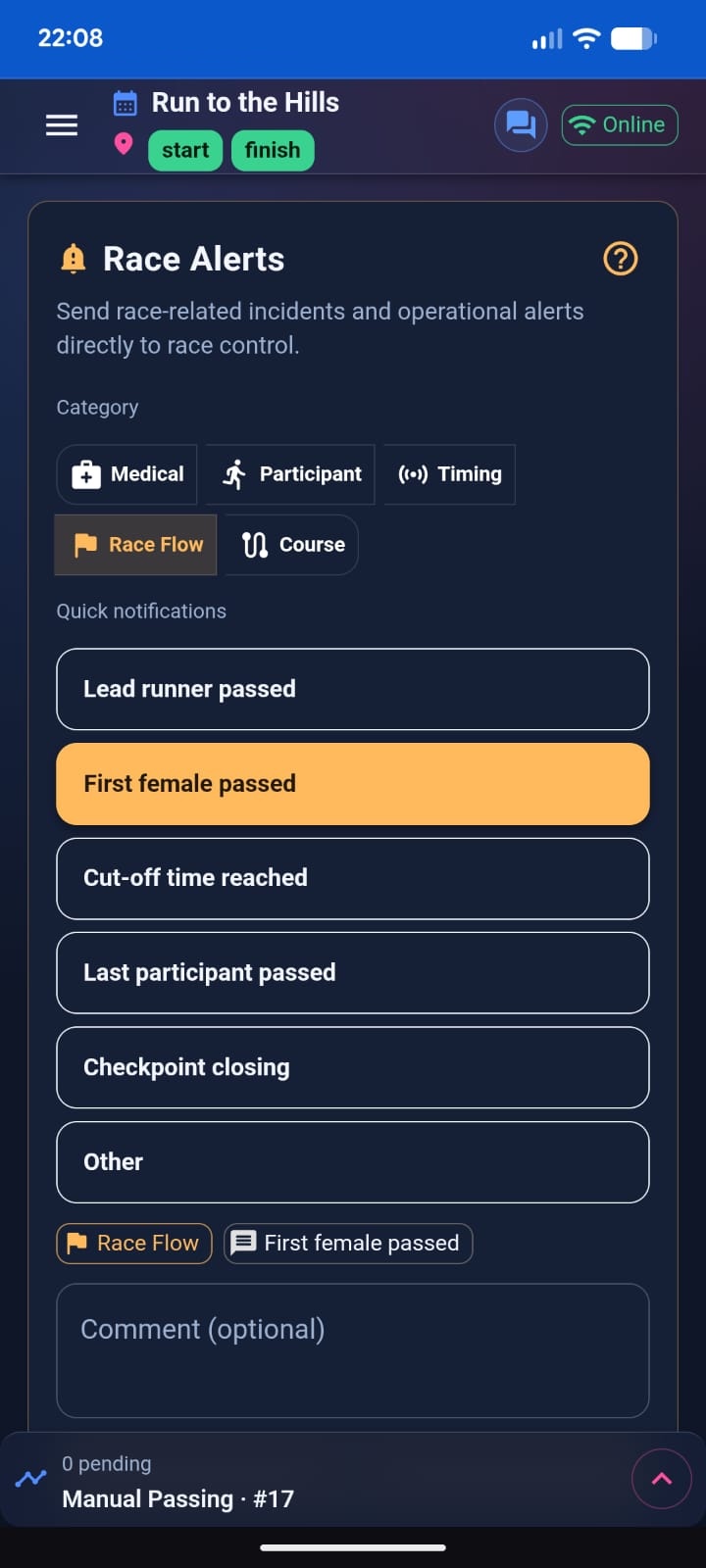
Categories include:
- Medical
- Participant
- Timing
- Race Flow
- Course
Templates allow fast reporting, with an “Other” option for custom messages.
Team Chat
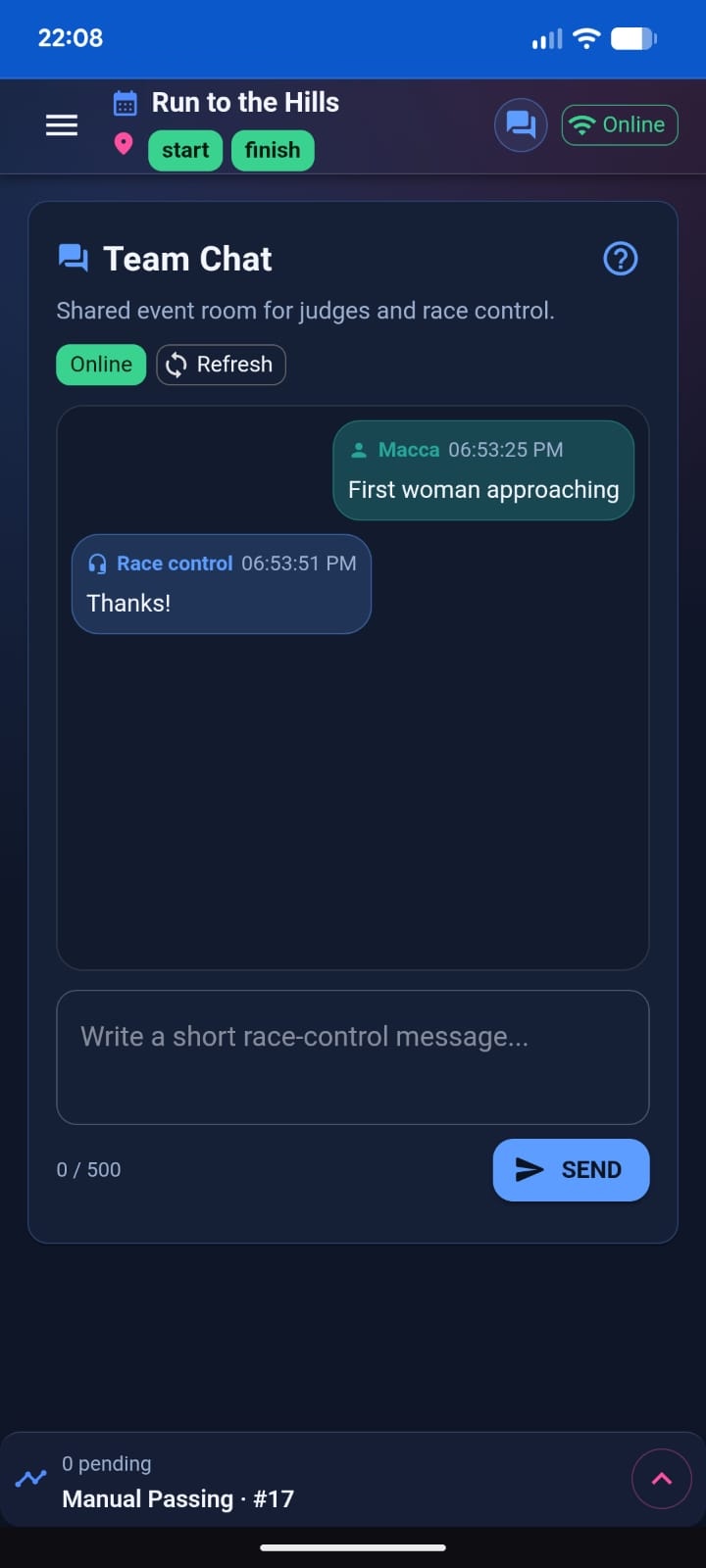
A shared operational chat room between:
- Judges
- Race Control
It is used for coordination and live communication during the event.
Team Chat is separate from the Live Activity outbox and maintains its own message feed.
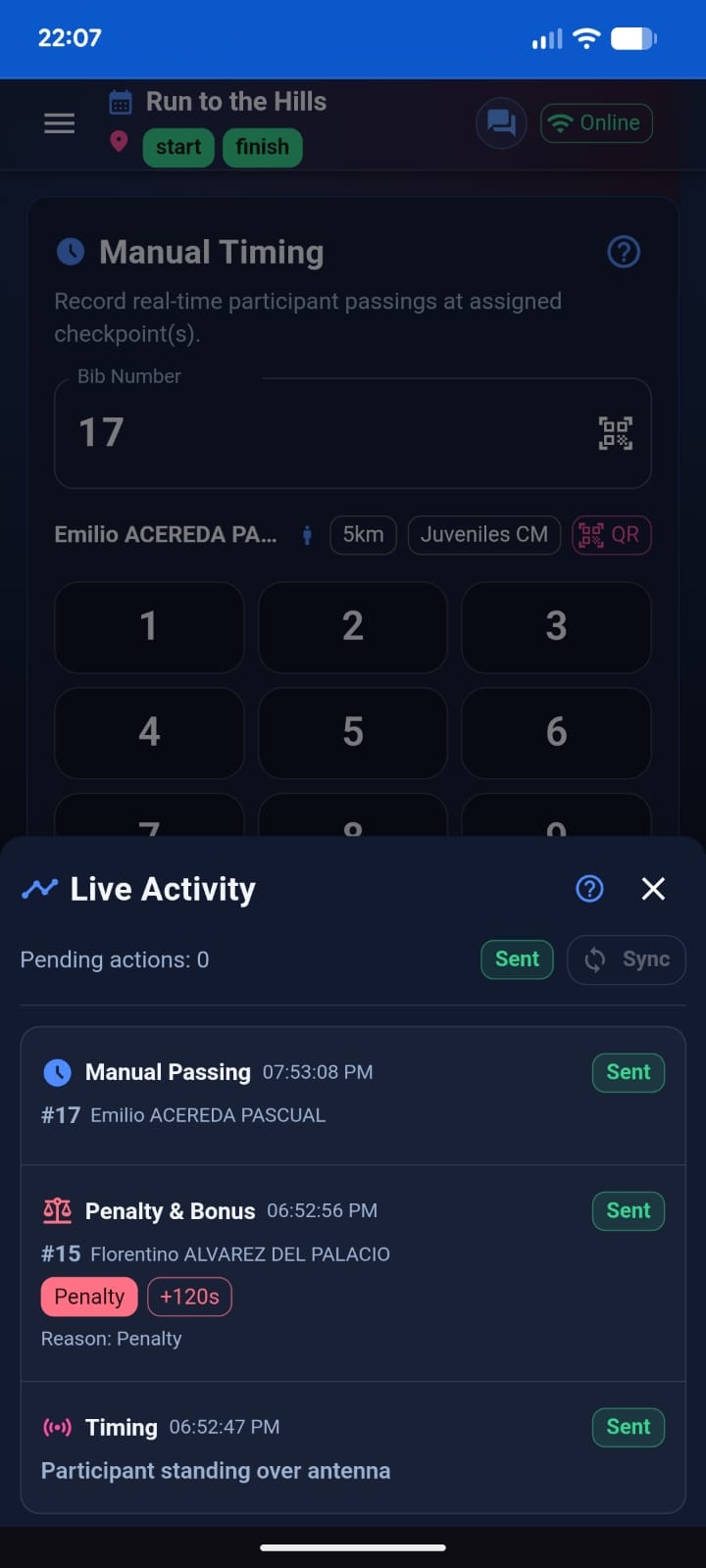
Live Activity (Outbox)
The Live Activity panel shows all race actions generated from the app.
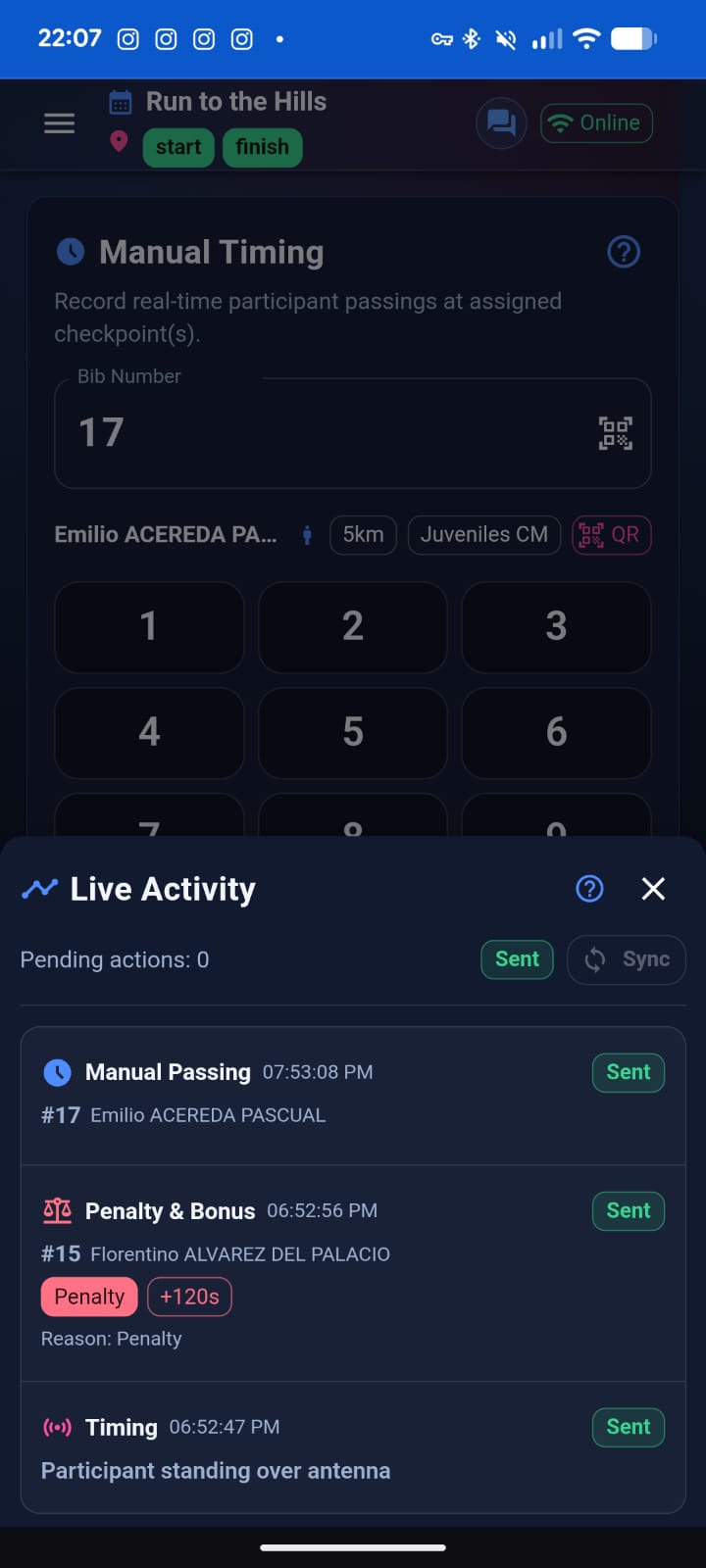
It includes:
- Manual Timing entries
- Penalty & Bonus actions
- Status changes
- Race Alerts
Each entry shows its status:
- Pending
- Sending
- Sent
- Failed (with retry path)
The timeline is append-only for operational traceability.
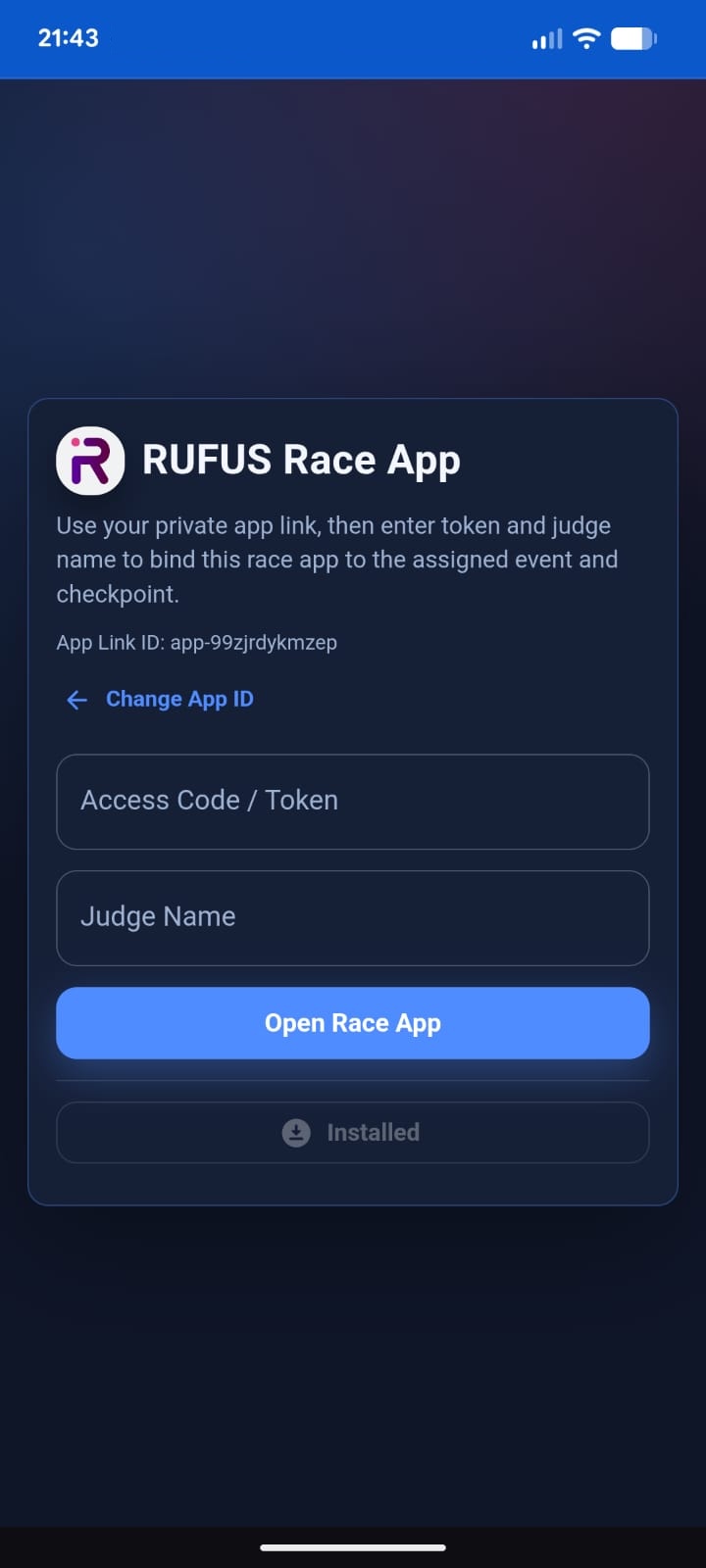
How Judges Access the App
Judges open the private Race App link:
race-app.runonrufus.com/<AppId>
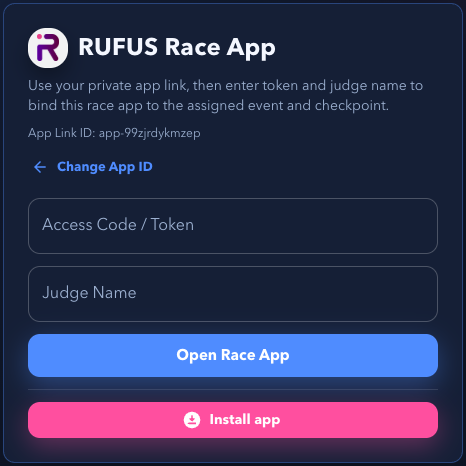
Login requires:
- Access Token
- Judge name (for identification and audit purposes)
Session Model
The Race App uses a single-active-judge model per token.
- Only one judge can be active at a time for a given token.
- If another judge logs in using the same token, they take over.
- The previous user is automatically logged out.
Important behavior:
- Logging out does not delete history.
- Live Activity and Team Chat remain available for the next judge using the same token.
- A completely new session is created only when the access token is refreshed (token rotation).
Race Control Information Visible to Judges
The Race App is not only an input tool. It also provides judges with real-time operational visibility from Race Control.
This ensures judges always understand the state of their assigned checkpoints and races.
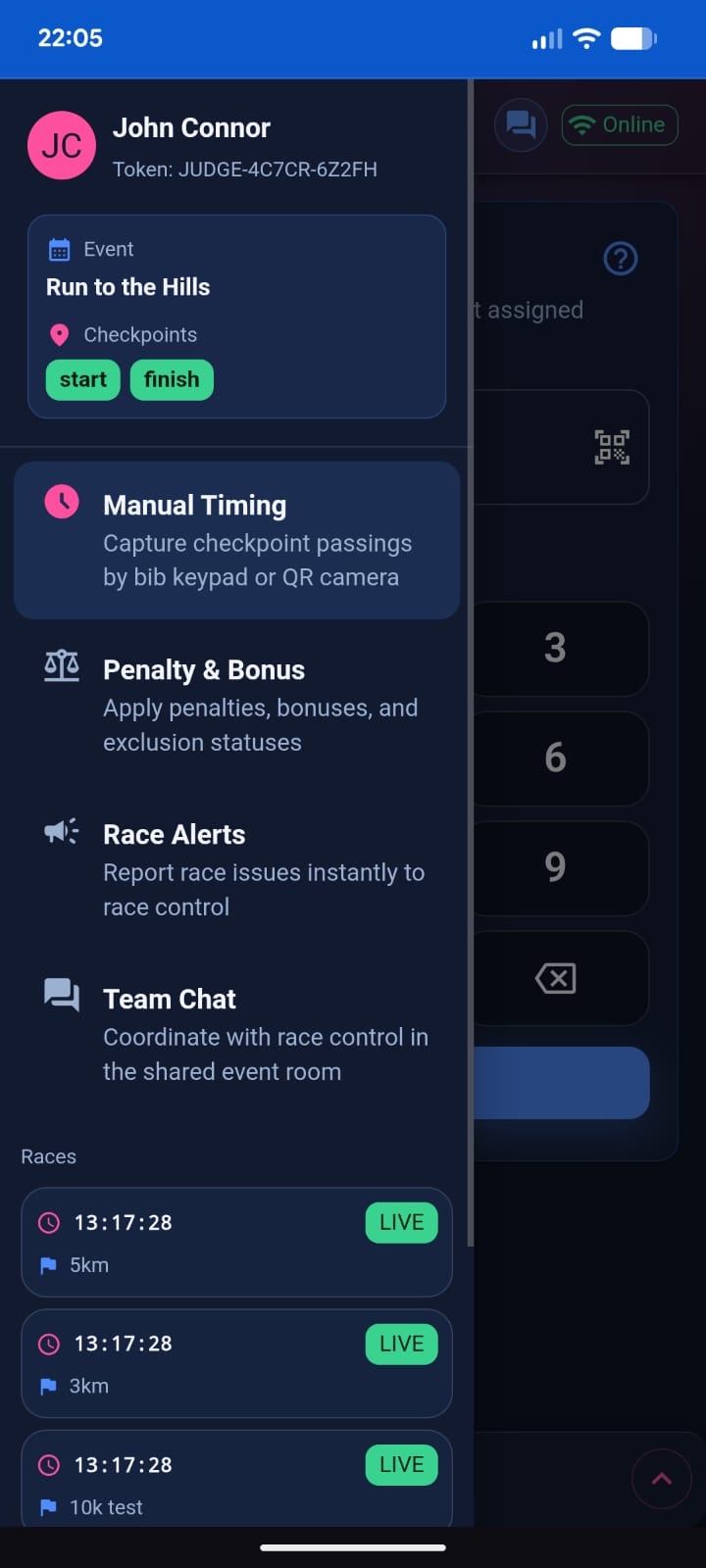
Checkpoint Assignment and Processing Status
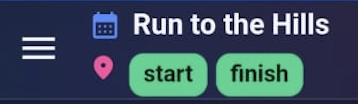
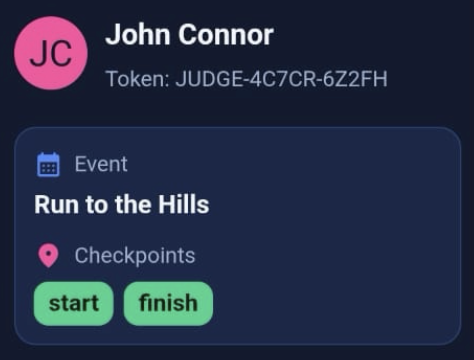
In the top bar and in the app drawer menu, judges can see:
- The checkpoint(s) where the Race App is currently assigned
- The processing status of those checkpoints
The processing indicator shows whether Race Control is currently processing incoming passings for:
- The device
- The assigned checkpoint(s)
This gives judges immediate feedback about the operational state of their station.
Device Processing Status in Manual Timing
Inside the Manual Timing view, judges can also see whether Race Control is currently processing passings from their device.
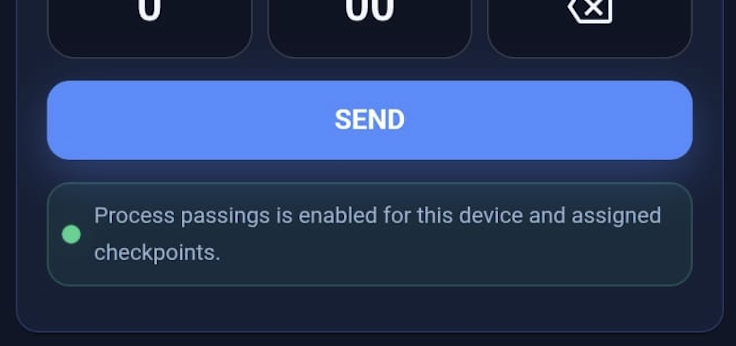
This indicator is informative only.
Even if processing is disabled:
- Judges can continue capturing passings.
- All data will still be recorded and synchronized.
- Race Control decides what is processed or applied.
Assigned Races and Race Time
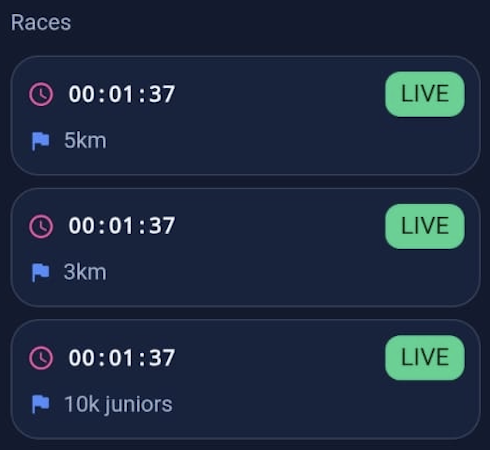
From the app drawer, judges can also see:
- The race(s) assigned to the device
- The official race time for each assigned race
This ensures judges:
- Know which race context they are operating in
- Can align their actions with the correct race timeline
- Have awareness when multiple races are active
Why This Matters
The Race App provides bidirectional operational awareness:
- Judges send passings and actions to Race Control.
- Race Control configuration and race state are reflected back to judges.
This reduces confusion, prevents misaligned timing operations, and improves coordination during complex events.
Connectivity and Processing Behavior
The app displays an Online / Offline indicator reflecting browser connectivity.
If offline:
- Actions are safely queued locally.
- Automatic synchronization occurs when connectivity returns.
The app also displays informative indicators showing whether Race Control is currently processing passings for the device or assigned checkpoint(s).
Even if processing is disabled, judges can continue capturing data. Race Control decides what is processed or applied.
Managing Race App in RUFUS Cloud
Race Apps are created and managed in:
RUFUS Cloud → Devices Panel
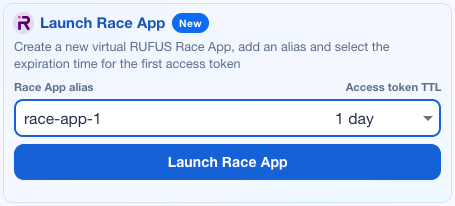
When launched, Cloud generates:
- App ID
- Access token
- Token expiration (TTL)
- Device-level audit record
The Race App appears as a device in Race Manager and must be assigned to:
- Event
- Checkpoint(s)
Token Rotation (Hard Reset)
Refreshing the access token:
- Generates a new token
- Immediately invalidates the old one
- Closes any active session
- Starts a new session lifecycle
This is used when:
- Access needs to be reset
- A token was shared incorrectly
- Judge access must be revoked
How It Appears in Race Manager (Race Control)
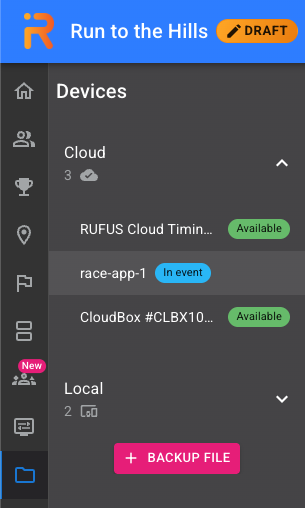
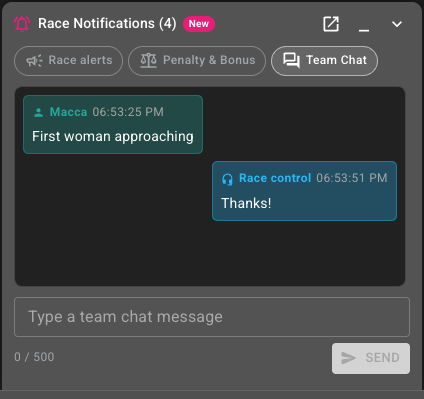
Inside RUFUS Race Manager:
- Race Apps appear in the Cloud Devices list.
- They can be assigned to event checkpoint(s).
- Race Alerts, Penalty & Bonus, Status changes, and Team Chat are visible in the Race Notifications panel.
- All actions are append-only for audit and traceability.
Operational flow:
- Judges send data from the Race App.
- Race Control receives notifications in Race Manager.
- Some actions modify classification (Penalty / Status).
- Some actions are informative only (Race Alerts / Chat).
Operational Best Practices
Before race day:
- Launch the Race App in Cloud.
- Set token TTL long enough to cover setup, race, and buffer time.
- Assign the device to checkpoint(s) in Race Manager.
- Share link and token with judges.
During race day:
- Keep the app open for reliable offline queueing.
- Use keypad for high-throughput timing.
- Use QR scanning when bib readability is an issue.
- Use Race Alerts for incidents.
- Use Team Chat for coordination.
After race day:
- Review audit history in Race Manager.
- Rotate the token if judge access should be closed.
Summary
The RUFUS Race App is a dedicated race-day operational tool that connects judges directly to Race Control. It combines manual timing, race actions, alerts, and communication into a single lightweight interface while keeping full audit traceability inside RUFUS Cloud and Race Manager.
It separates administration (Cloud) from operations (Race Manager), ensuring controlled access, session traceability, and reliable race-day execution.